Search
Explore digital transformation resources.
Uncover insights, best practises and case studies.

Search
Explore digital transformation resources.
Uncover insights, best practises and case studies.
Service
Industry
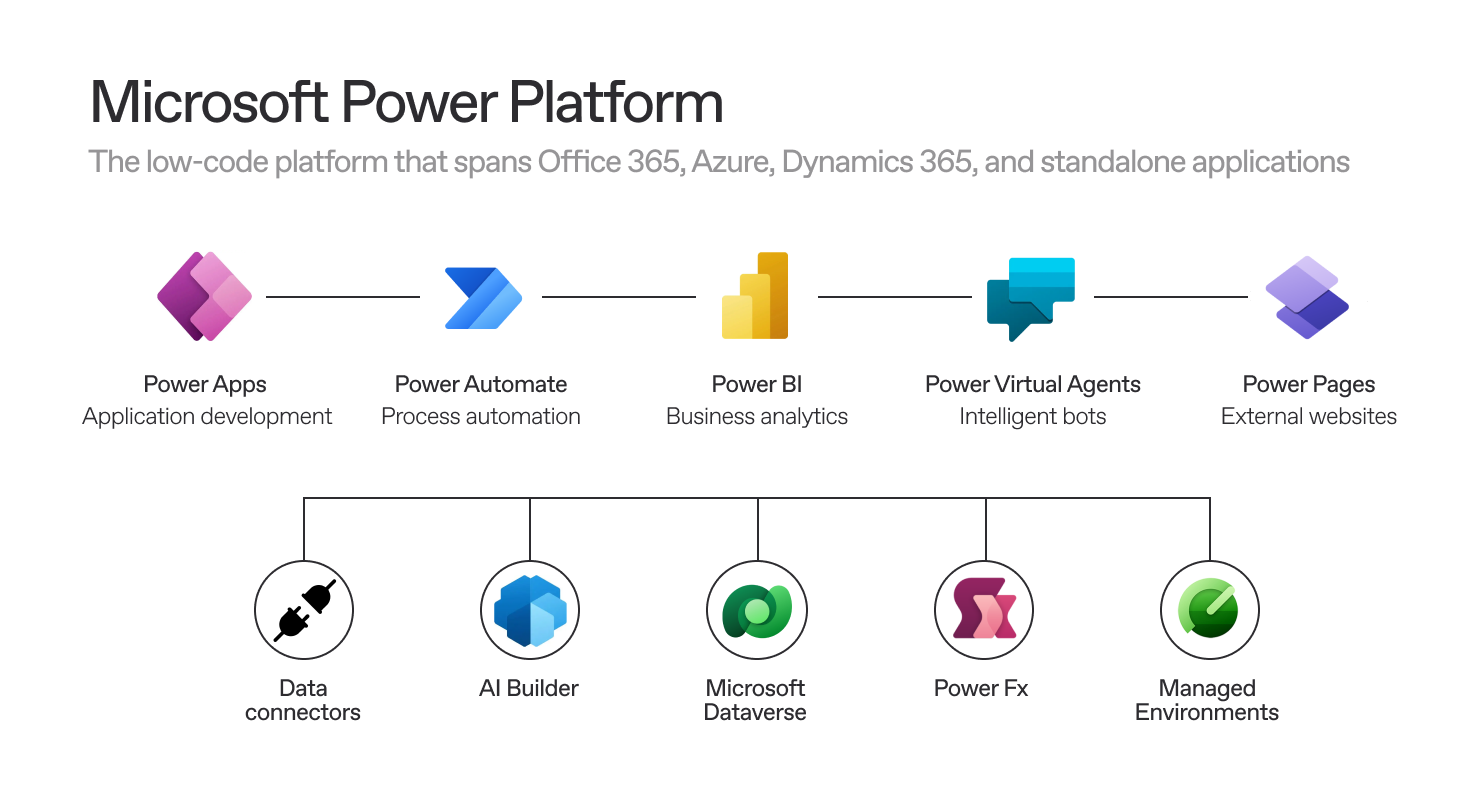
Low-code platforms have transformed the way businesses handle application development, providing considerable advantages by allowing regular users to design applications and streamline their daily processes. This democratization of technology has permitted individuals without conventional coding expertise to play a role in driving innovation and improving efficiency within their organizations. Nevertheless, this shift has also brought about challenges for large corporations, which now struggle to manage the increasing volume of applications and automations produced by non-technical developers.
To address this issue, Managed Environments were specifically developed.
Here are some intriguing figures:
This rapid expansion brings significant issues related to security, oversight, and governance. Managed Environment can address these challenges.
| Aspect | Managed Environment | Unmanaged Environment |
|---|---|---|
| Definition | Managed environments are governed and restricted by admin policies and settings. | Unmanaged environments are more flexible, with fewer restrictions. |
| Purpose | Primarily used for production environments to ensure compliance and control. | Often used for development or testing purposes. |
| Customization Control | Customizations are locked down; changes must follow governance protocols. | Customizations are open; developers have full control over changes. |
| Governance & Security | Strong governance with controlled access and compliance checks. | Minimal governance, allowing for rapid prototyping and innovation. |
| Deployment & Solutions | Managed solutions can be deployed; updates are controlled by administrators. | Unmanaged solutions are used; developers can make changes directly. |
| Backup & Recovery | Regular backups are enforced by administrators. | Backup is often manual and not as strictly enforced. |
| Data Sensitivity | Suitable for handling sensitive and mission-critical data. | Not ideal for sensitive data; mainly used for experimental data. |
| Environment Lifecycle | Environments are tightly controlled and monitored throughout their lifecycle. | More flexible lifecycle, with easier creation and deletion of environments. |
| Compliance Requirements | Compliance and auditing are typically enforced. | Lower compliance and auditing requirements. |
| Ideal Use Case | Production environments, regulated industries, or when strict control is necessary. | Development, testing, or pilot projects where agility is key. |
These top ten features are just the tip of the iceberg—there are many more to explore. Check out the complete list here.
Similar to folders, these are designed to help administrators organize the environments into structured groups based on different criteria. Environment groups allow admins to apply group-specific rules, reducing manual effort and ensuring consistency.
Admins can limit how broadly users can share canvas apps.
Activate to receive a weekly email with the usage details of the applications, flows, and users.
Pipelines can deploy solutions and configurations for the target environment, such as connections, connection references, and environment variables. Any Power Platform customization contained in a solution can be deployed using pipelines, and the simple deployment process also stores all the necessary logs.
Admins can provide customized welcome content to help their makers get started with Power Apps. Adding personalized help content replaces the default Power Apps first-time help experience for makers.
Administrators can force a check on solutions before any export or import. The three settings are:
None: Turns off the automatic solution validations during solution import.
Warn: All custom solutions are automatically verified during solution import. When a solution with highly critical issues is being imported, an action warning appears, but the import itself continues, and if everything else with the import is fine, the solution is imported into the environment.
Block: All custom solutions are automatically verified during solution import. When a solution has highly critical issues, the import process is canceled, showing a message stating that the imported solution had validation issues.
The IP firewall helps protect organizational data by limiting user access to Microsoft Dataverse to certain authorized IP locations. The firewall analyzes the IP address of each request in real-time. For example, if the IP firewall is turned on in the production Dataverse environment and allowed IP addresses are in ranges associated with the office locations, external IP locations like a coffee shop will not be allowed. If a user tries to access organizational resources from such a location, Dataverse denies access in real time.
System backups are automatically created for environments with a database. For production environments with Dynamics 365 applications, system backups are kept for up to 28 days. By default, backups of production environments without Dynamics 365 applications and backups of other nonproduction environments are kept for seven days. With Managed Environments without Dynamics 365 applications, use PowerShell to extend the retention period from seven days to a maximum of 28 days.
In a managed environment, enabling data loss prevention (DLP) on Power Automate for desktop gives the ability to create and enforce policies that define which connectors users can access and share. This can prevent important business data from being accidentally published to connectors like social media sites, for example.
This feature allows Power Platform admins to automatically direct new or existing makers into their personal developer environments at make.powerapps.com. Environment routing offers makers an individual, safe space to build with Microsoft Dataverse without the fear of others accessing their apps or data.
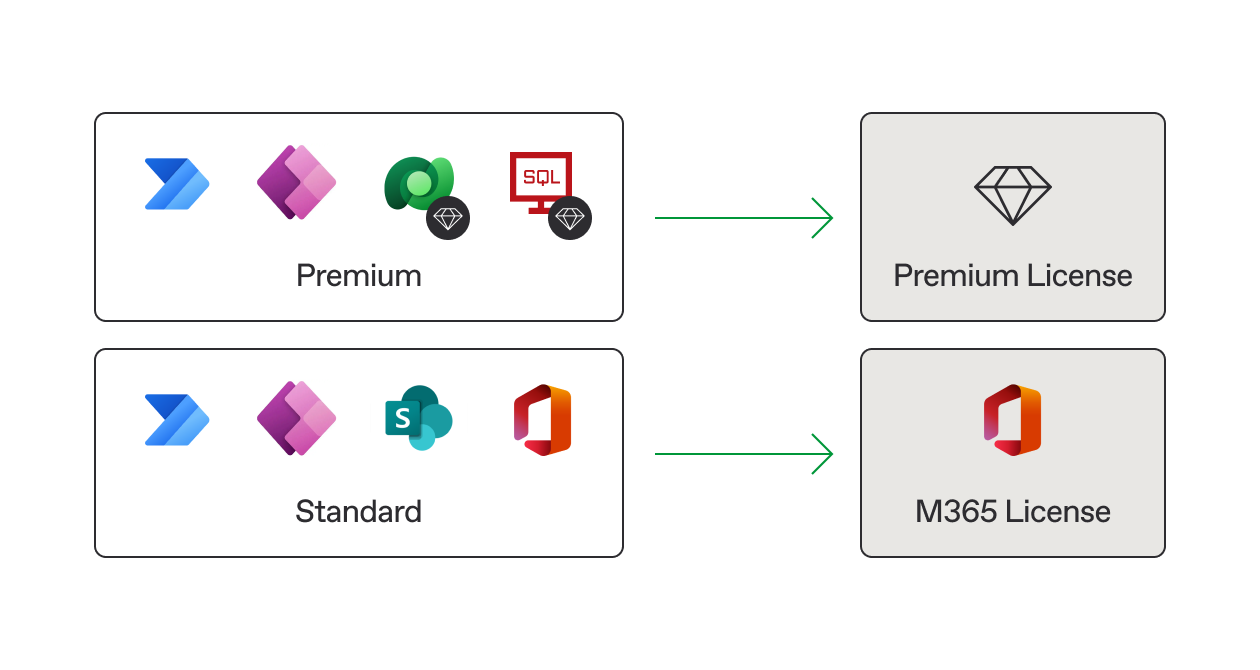
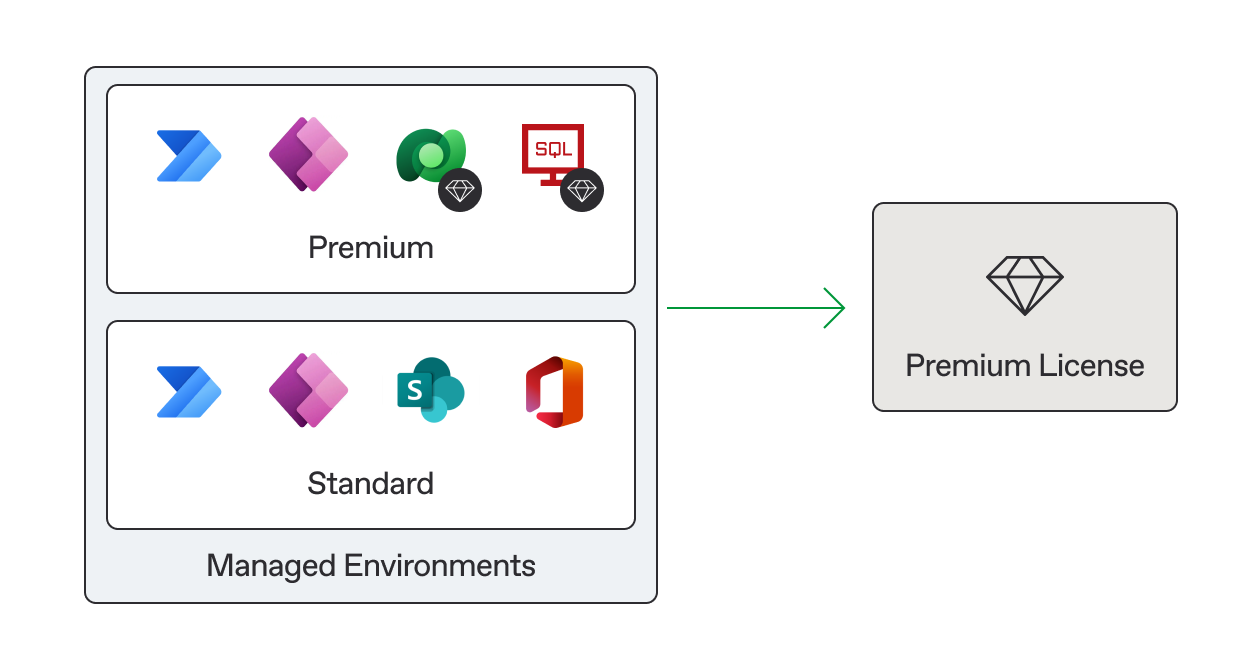
There is no specific license fee for activation, but due to the high processing costs associated with the available features for Microsoft, the classification of premium and standard connectors will be revised after activation.
Consequently, all uses within the managed environment will require a premium license, regardless of whether the connectors are standard. For more details, see here.
Before Managed Environments:
After Managed Environments:
Nortal is a strategic innovation and technology company with an unparalleled track-record of delivering successful transformation projects over 20 years.